
Schedule Content Smarter
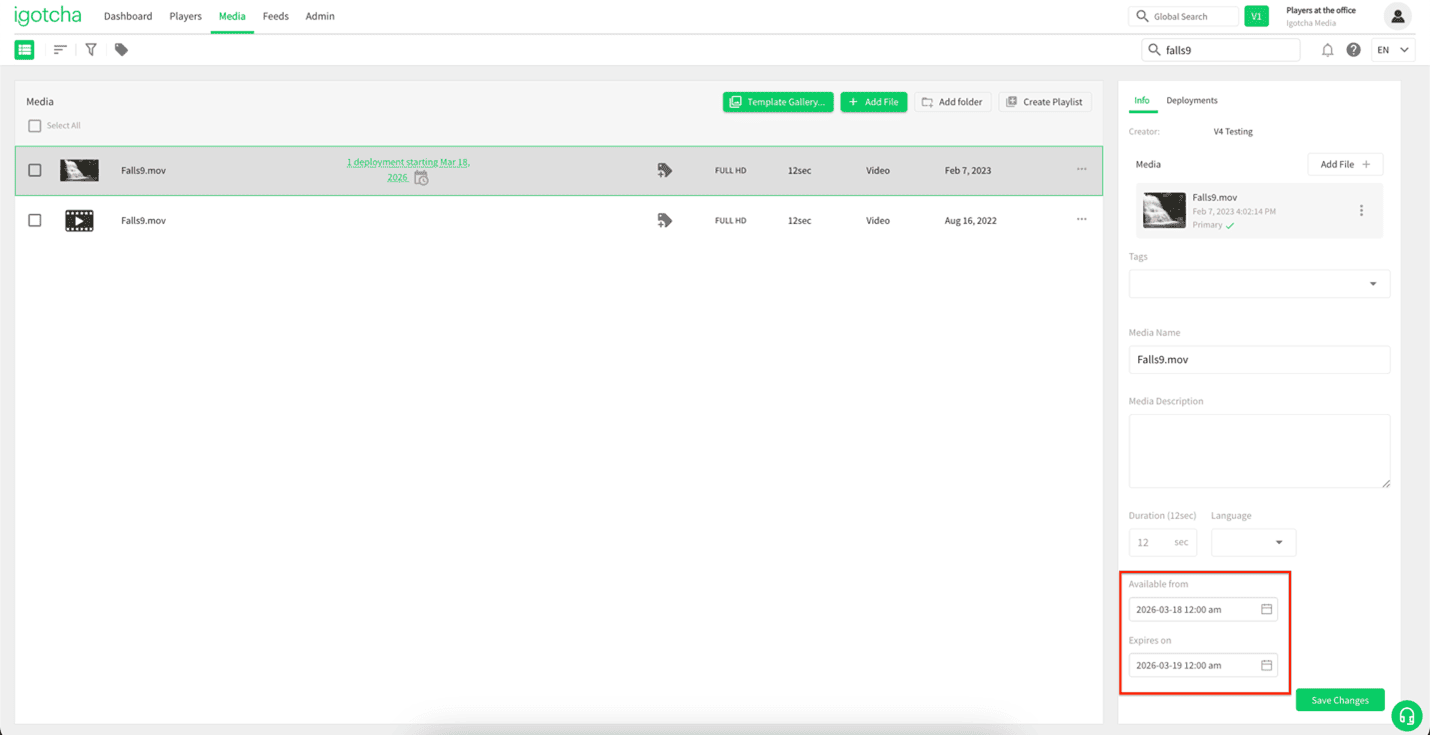
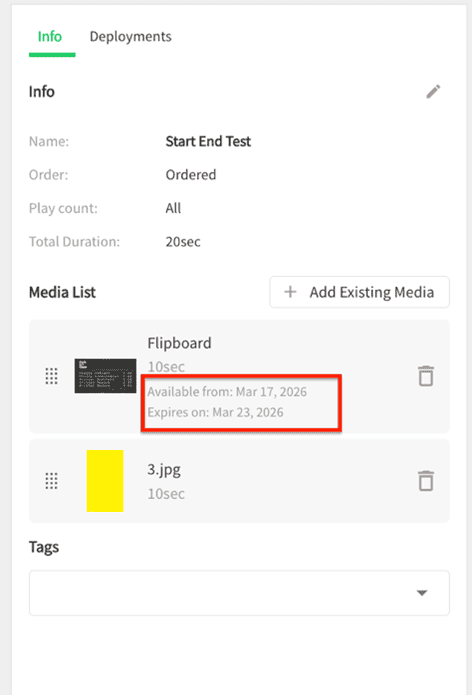
Media can be configured with start and end (expiry) dates, ensuring it only appears in deployments within a defined time range. Media can be deployed on its own, or as part of a playlist, and when used in a playlist, each item retains its own individual schedule.
Whether you are running time-sensitive promotions or rotating content, scheduling keeps everything accurate without manual updates.
Set It Once, Let It Run
Adding dates is simple:
- Go to the Media page
- Select your media
- Set the start and end dates in the right-hand panel
- Click Save
Your content will now follow its schedule automatically.
Clear Visibility at a Glance
A calendar icon marks scheduled media.

Hover to view timing.

Easily see if content is upcoming or expired.
Works Seamlessly in Playlists
Mix scheduled and always-on content with ease:
- Each media item keeps its own timing
- Dates are visible directly in the playlist
- Instantly know what is active
Stay in Control on the Players Page
Quickly check what is playing and when:
- View schedules in the Media tab
- See only relevant timing information
- Clearly identify inactive or expired content
Why it Matters
- Keep content fresh and timely
- Reduce manual work
- Prevent outdated messaging
- Automate your workflow
Set your schedule once and let your content handle the rest.
If you have any questions or need help setting this up, our support team is happy to assist: support@igotchamedia.com
