
Find Media & Players Faster
We’re excited to roll out a major usability upgrade: Global Search.
This new feature gives you a single, unified way to quickly find what you need across your system.
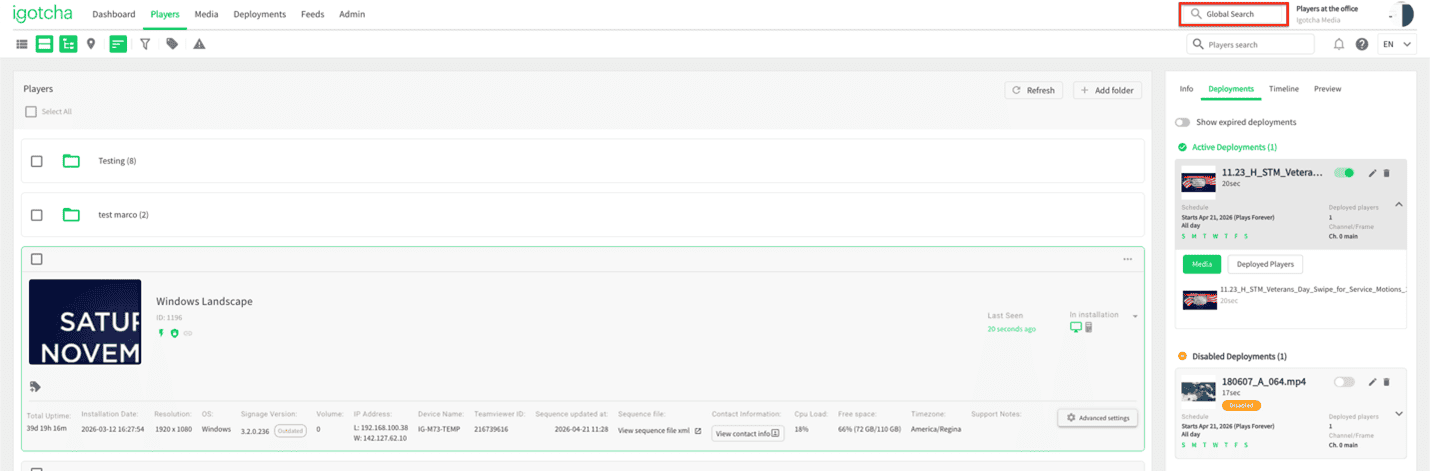
What is Global Search?
Global Search lets you search for media and players from a single central location. Whether you’re managing a few screens or a large network, this feature helps you get to the right asset or device faster than ever.
What you can search?
You can now search using:
- Media name
- Player name
- Media ID
- Player ID
Just start typing, and results will appear instantly – helping you locate exactly what you need in seconds.
Why it matters
Global Search is designed to streamline your workflow by:
- Reducing time spent navigating menus
- Making large libraries easier to manage
- Helping you quickly troubleshoot or locate specific players
- Centralizing discovery across media and hardware
How to use it
- Go to the Global Search bar and type in a media or player name, or an ID
- Select the result you’re looking for
It’s that simple.
If you have any questions or need help setting this up, our support team is happy to assist: support@igotchamedia.com
