
Export audit logs for easy tracking and reporting
You can now export audit logs, making it easier to analyze activity and maintain records outside the platform.
With this update, audit logs can be downloaded in CSV format for reporting, compliance, or internal review.
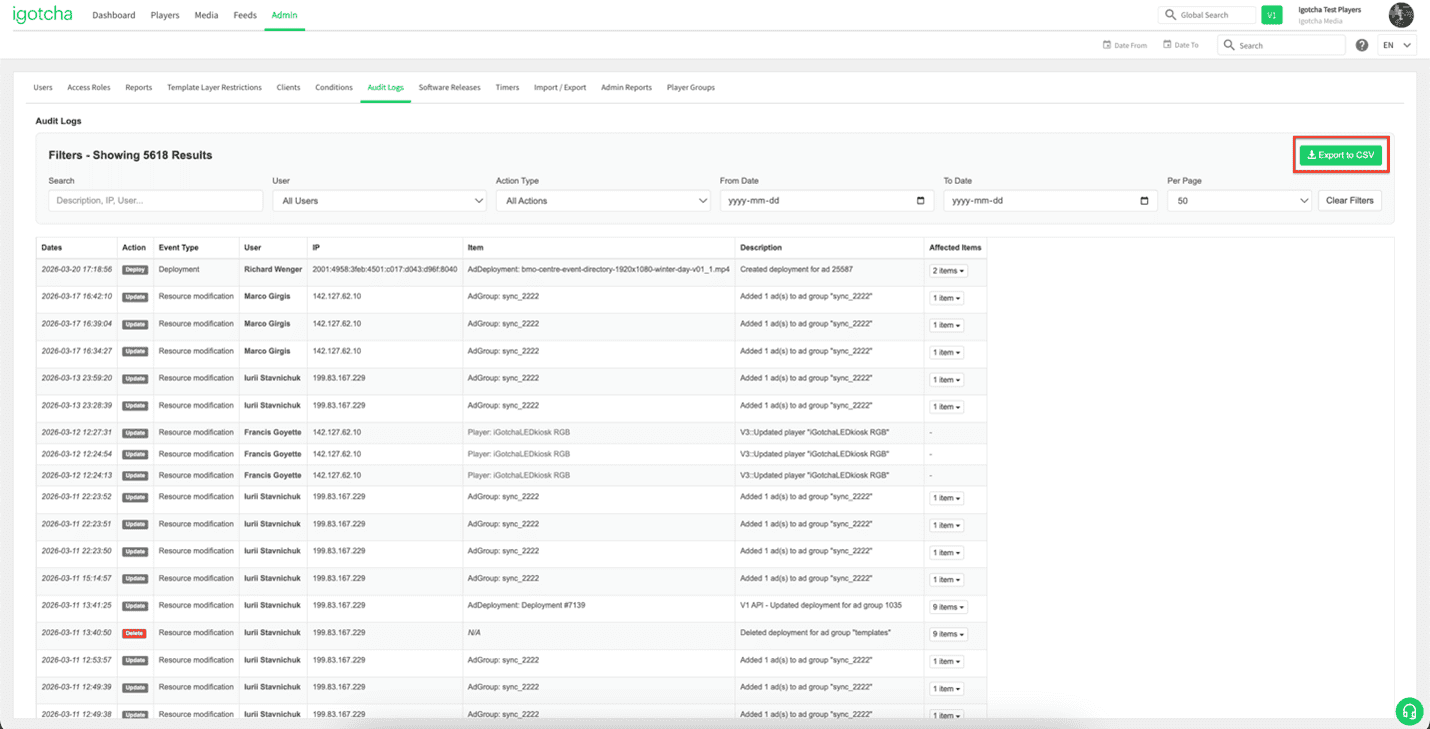
How to Export Audit Logs
To export your audit logs:
- Go to the Admin page
- Navigate to Audit Logs
- Configure your desired date range and apply any relevant filters
- Click the Export to CSV button
Your audit log data will be downloaded as a CSV file, ready to use in tools like Excel or Google Sheets.
This feature gives you more flexibility and control when reviewing system activity and sharing insights with your team.
If you have any questions or need help setting this up, our support team is happy to assist: support@igotchamedia.com
