
Control playlist flow with weighted playback and smart sequencing
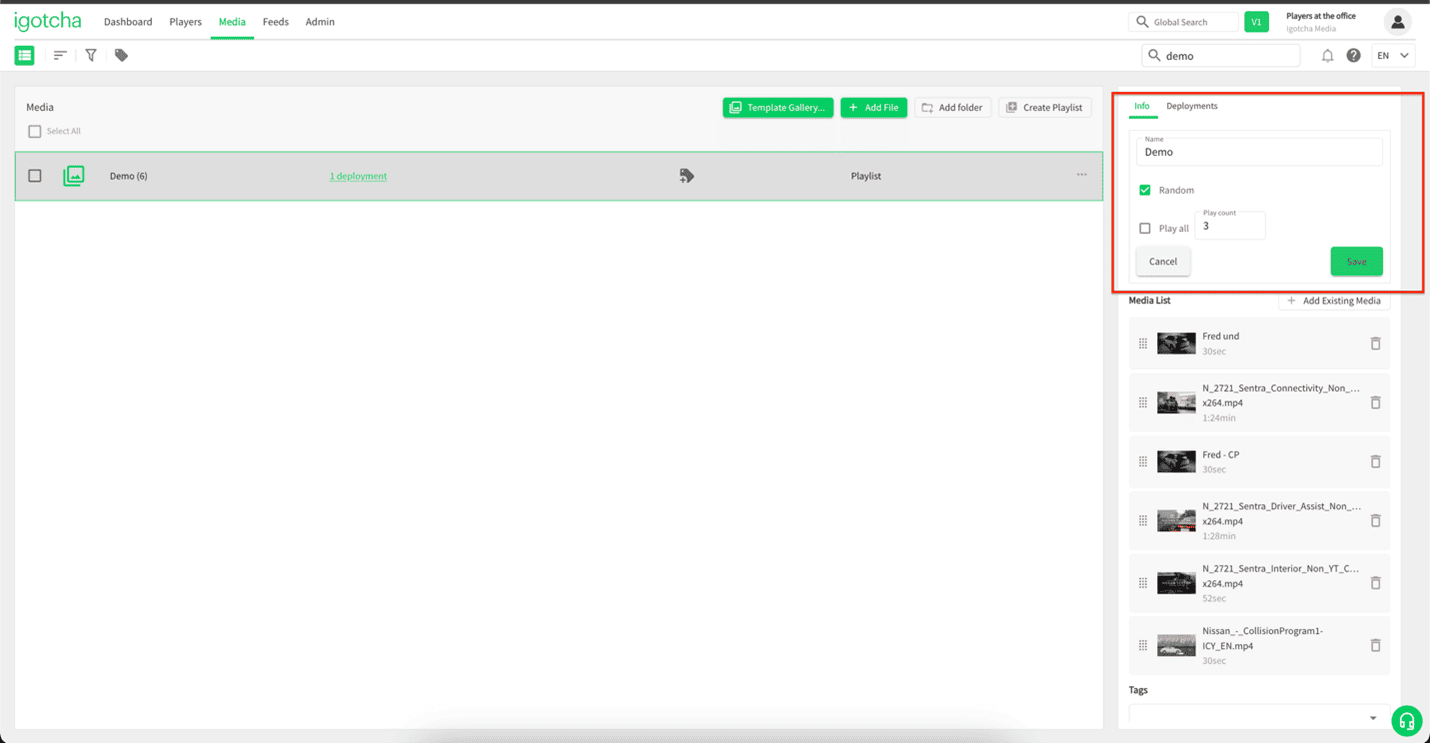
Media within a playlist can be assigned a weight using the Play Count setting. This determines how many items from the playlist will play before the system moves on to the next scheduled media or playlist.
For example, if a play count of 3 is set, three media items from the playlist will play, followed by the next scheduled content outside the playlist. Then the next three items in the playlist will play, and this pattern continues.
You can also enable random playback. When Random is on, each media item will play once before any are repeated.
Set It Once, Let It Run
Configuring media weighting is simple:
- Go to the Media page
- Create or edit a playlist
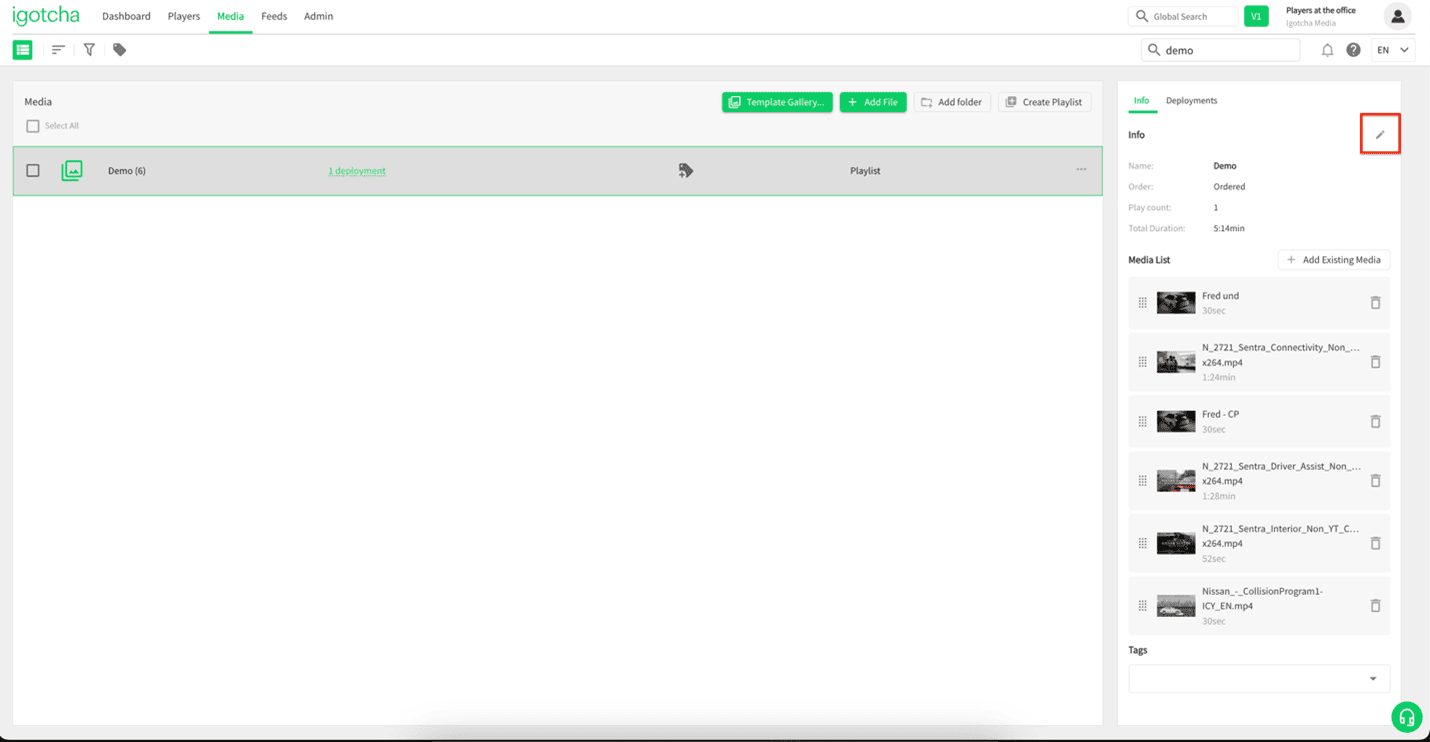
- Open the Info tab
- Click the pencil icon to edit
- Enter a value in Play Count
- (Optional) Enable Random
- Click Save
Your playlist will now follow the defined playback pattern automatically.
Flexible Playback Control
- Control how often playlist content appears
- Balance playlists with other scheduled media
- Create predictable or dynamic playback flows
Fine-tune how your playlists behave and make sure the right content plays at the right time.
If you have any questions or need help setting this up, our support team is happy to assist: support@igotchamedia.com
