
Randomize playback to keep content fresh and engaging
We’ve introduced a new way to make your content feel more dynamic and less predictable: Shuffle Media Playback.
With this setting enabled, all media deployed to your player will play in random order rather than in a fixed sequence. This helps keep content fresh, reduces repetition, and improves viewer engagement in environments with frequently looping media.
How It Works
Once enabled, your player will automatically randomize the order of all assigned media. There’s no need to manually rearrange playlists or adjust scheduling. Everything is handled in the background.
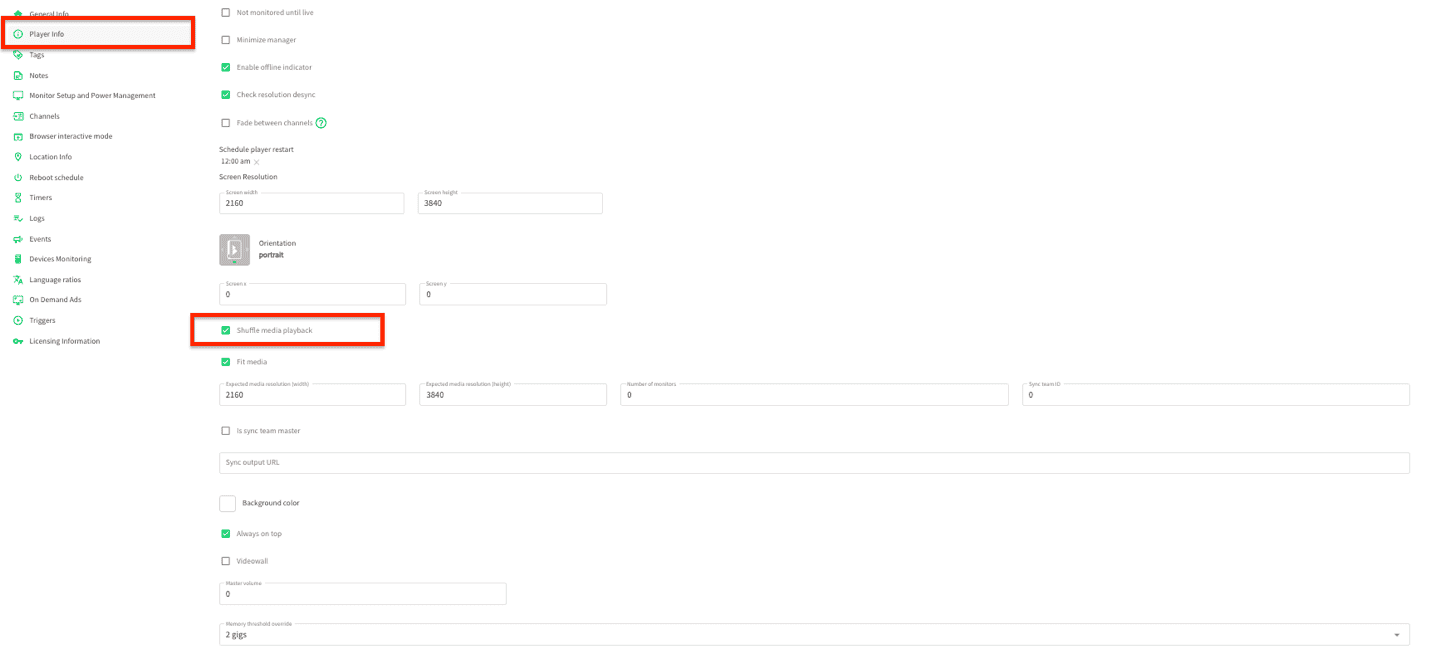
How to Enable Shuffle Media Playback
Follow these steps to turn on shuffle playback for your player:
- Go to your Player
- Navigate to Advanced Settings
- Open the Player Info tab
- Enable Shuffle Media Playback
- Scroll down and click Submit
This feature is perfect for anyone looking to add variety to their content delivery with minimal effort.
If you have any questions or need help setting this up, our support team is happy to assist: support@igotchamedia.com
